Getting the aircraft to fly was not really the hardest part.
It had its own challenges, of course, but I got that working. What I worried about much more was the control system: building the hardware from scratch, writing software for it, and then integrating that hardware into the wider sim so it actually felt like part of the aircraft instead of a pile of disconnected electronics.
Why HOTAS Mattered
Once I started looking more seriously at fighter aircraft controls, I knew I could not just throw together a generic joystick and call it done.
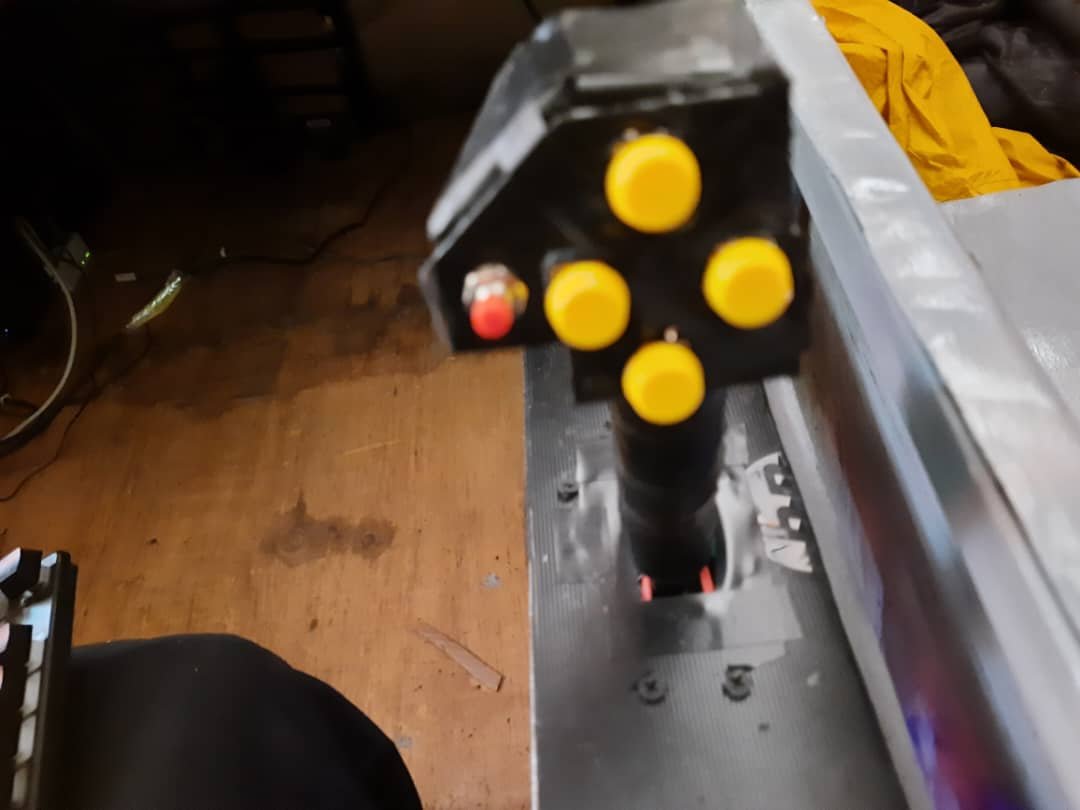
What I needed was a basic HOTAS-style setup — Hands On Throttle and Stick — because that is what gives a combat aircraft its rhythm. The point is not just to steer. The point is to let the pilot manage sensors, modes, weapons, and aircraft state without constantly taking their hands away from the main controls.
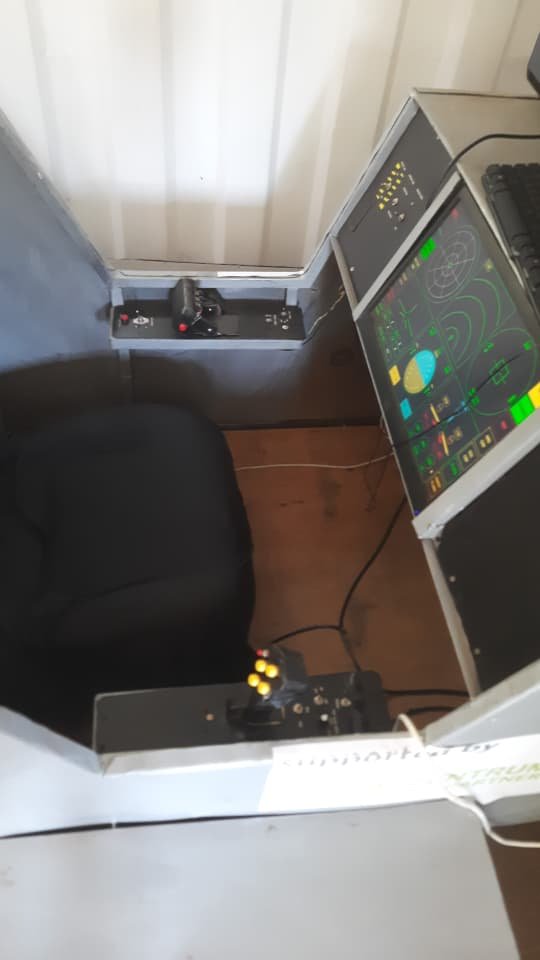
I did not try to clone one real aircraft’s HOTAS exactly. That would have been too much. The goal was to build a simplified system that captured the logic of one: a side-stick, a throttle, some panel controls, and enough buttons and switches to make the simulator feel like an actual combat platform rather than just a flying model.
The HOTAS Was Really Three Problems
Looking back, the control system was really three separate jobs pretending to be one:
- Build the physical controls
- Read those controls cleanly in firmware
- Translate that data into something the simulator could understand
The Throttle Side
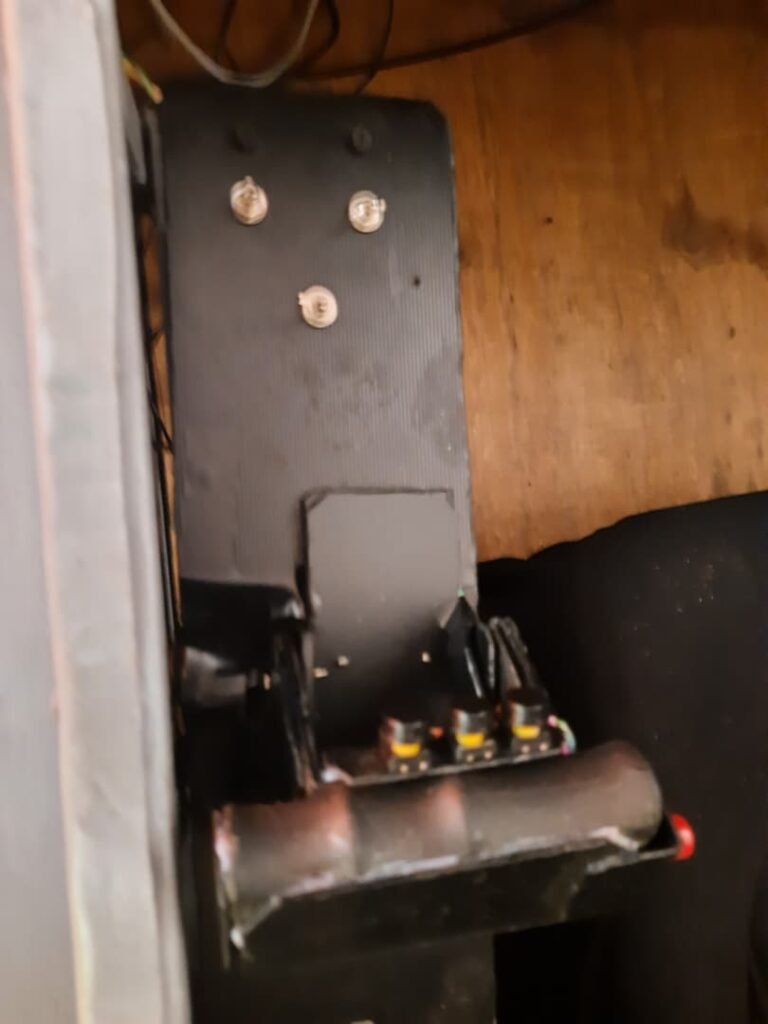
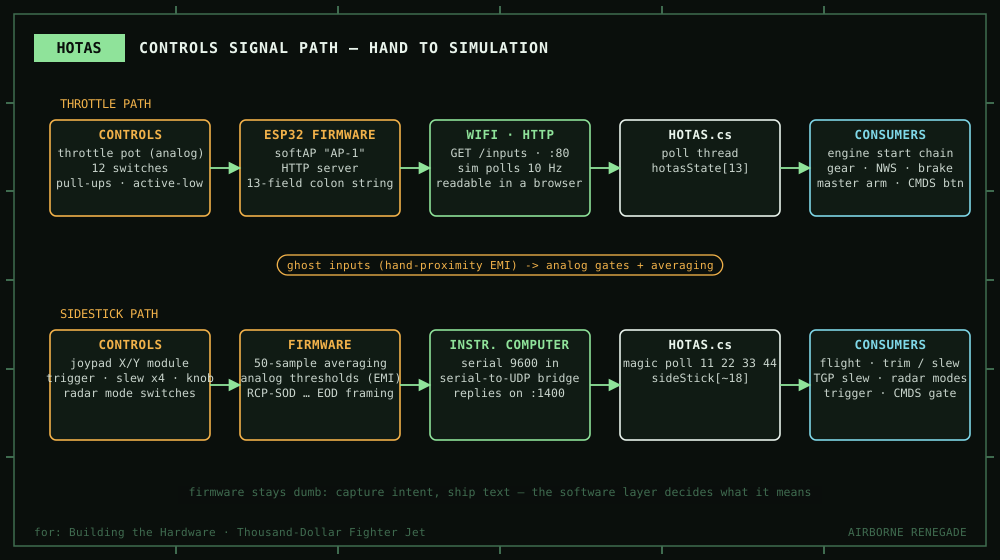
The throttle side was built around an ESP32-based module. In the firmware, it brings up its own Wi-Fi access point and starts a tiny web server. When the simulator requests /inputs, the controller reads the live hardware state and sends it back as a plain text, colon-separated string. (GitHub)
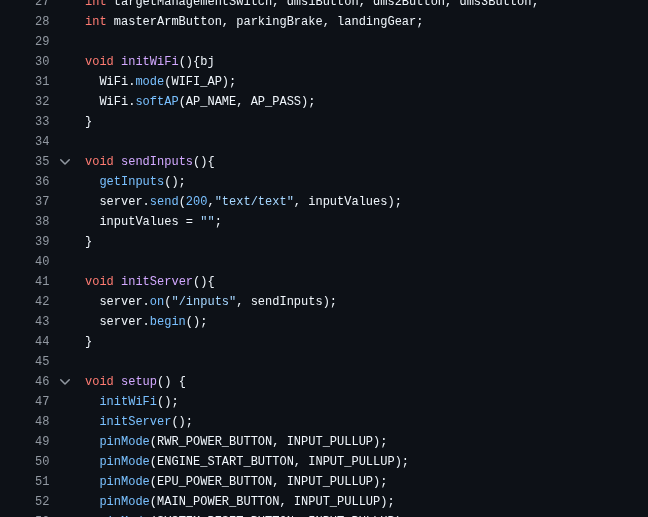
What I like about that now is how unapologetically simple it is.
The throttle firmware was not trying to be clever. It just read what mattered: throttle position, RWR power, engine start, EPU power, main power, a CMDS-related button, DMS buttons, master arm, parking brake, and landing gear state, then exposed all of that over a lightweight interface the rest of the project could poll.
That decision says a lot about the project. I was not building elegant embedded middleware. I was building something I could debug quickly, understand under pressure, and wire into the rest of the sim without needing a giant protocol stack.
The Sidestick Side
The sidestick side had a different personality.
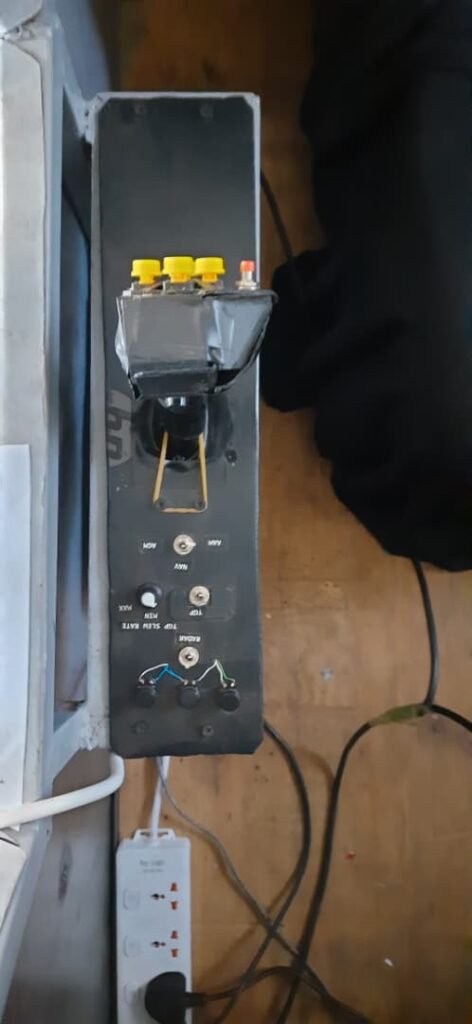
Its firmware reads the analog X and Y axes, the stick switch, radar and TGP-related buttons, AGM and AAM mode buttons, radar-mode selectors, weapon release, trigger/capture input, a targeting-pod slew-rate input, and four slew-direction controls. Before sending the stick axes, it averages the analog readings across 50 samples, which is a very practical prototype move for calming noisy inputs. (GitHub)
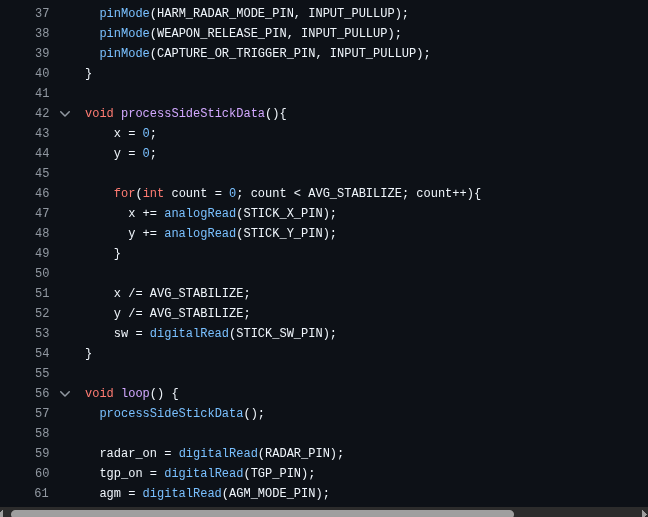
Then it packs the result into a serial message framed with two markers: RCP-SOD at the start and RCP-EOD at the end. That is not glamorous, but it is exactly the kind of thing that makes sense when you are trying to get a custom controller working with limited time and limited hardware. A bracketed text packet is easy to inspect, easy to log, and easy to recover from when something goes wrong. (GitHub)
This is also where the project started teaching me hard lessons about electrical noise, unstable readings, and just how annoying homemade controls can be in practice. In your draft, that comes through clearly: noisy lines could create false state changes, analog readings could swing badly, and you ended up leaning on filtering, pull-up logic, and output clamping just to keep the aircraft from behaving like it was haunted.
Why the Firmware Stayed “Dumb”
One of the smartest things about the control system, even if I did not fully appreciate it at the time, was that the firmware mostly stayed dumb.
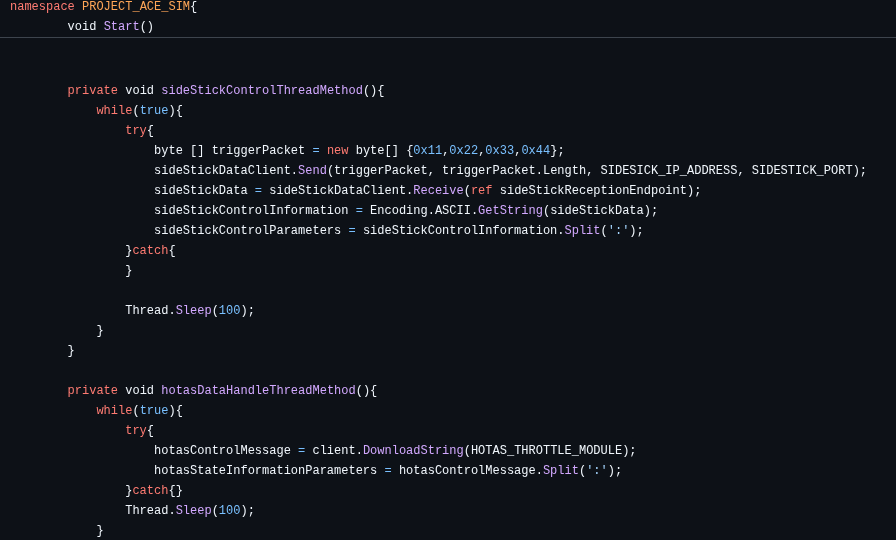
By that I mean the controller code does not try to make aircraft decisions. It does not try to decide what AGM means in the wider sim, or whether a button press should arm a weapon, or how the targeting pod should react. It just reads pins, samples analog values, and ships state outward. On the Unity side, HOTAS.cs is the bridge that gathers the throttle state over HTTP and the sidestick state over UDP, then exposes both as parsed arrays for the rest of the simulator to use. (GitHub)
That matters because it kept the control hardware flexible.
If I wanted to change what a switch meant, I did not have to keep rewriting the embedded code. I could reinterpret it higher up in the simulator. That is really the heart of the system: the controls capture intent, and the flight-control layer decides what that intent means in context. That architectural split is consistent with how the repo is organized overall, with smaller subsystem scripts each owning one responsibility instead of one monolithic aircraft brain. (GitHub)
The Unity Bridge
On the simulator side, the HOTAS integration layer was doing the job of a translator.
That design was simple, but it was also risky in a very prototype sort of way. The data format is positional, not strongly typed. If the order of parameters shifts, a lot of downstream code can break. But for a project like this, the tradeoff makes sense: plain text, lightweight parsing, easy debugging, and no heavy protocol machinery.
From Inputs to Aircraft Behaviour
What made the HOTAS feel meaningful was not the hardware by itself. It was what happened after the signals arrived.
The wider aircraft code is built so that the aircraft controller acts more like a coordinator than a giant all-knowing script. The controller owns the Rigidbody update loop, then fans work out to engines, wheels, control surfaces, and aircraft characteristics each physics step. Separately, the Scripts layer handles HOTAS, avionics, sensors, targeting, and combat systems. (GitHub)
So flipping a switch was never just “button pressed.”
A control input could flow through several stages:
- the controller firmware reads it,
- the bridge layer parses it,
- the relevant subsystem interprets it,
- and then the aircraft or avionics changes state.
An AGM mode flag can be sent up and change weapons behaviour, a TGP slew control can stop trimming the aircraft and start moving the sensor instead, and a ground-handling state like nose-wheel steering can be gated differently from in-flight controls. That is less like a normal gamepad and more like a set of small state machines working together. The project’s flight-system code also exports flight-state data such as altitude, airspeed, pitch, roll, yaw, trim mode, and targeting-pod slew information back out to external systems, which reinforces that same “distributed cockpit” feel. (GitHub)
What Was Hard About It
The difficult part was not writing one isolated firmware sketch.
The difficult part was making the whole chain behave.
The hardware had to be built physically. The firmware had to sample it reliably. The transport layer had to move the data. The Unity bridge had to parse it. Then the aircraft systems had to interpret those values in context. And on top of that, you were still dealing with homemade controls, improvised electronics, electrical noise, and the reality that some parts were being solved in parallel while the rest of the project was still under construction.
It was the point where the project started acting like a distributed simulation system with physical hardware, firmware, networking, and software all leaning on each other. The repo documentation even says it pretty bluntly: without the HOTAS bridge, it would mostly be a keyboard-controlled sim prototype; with it, it becomes a distributed cockpit system. (GitHub)