
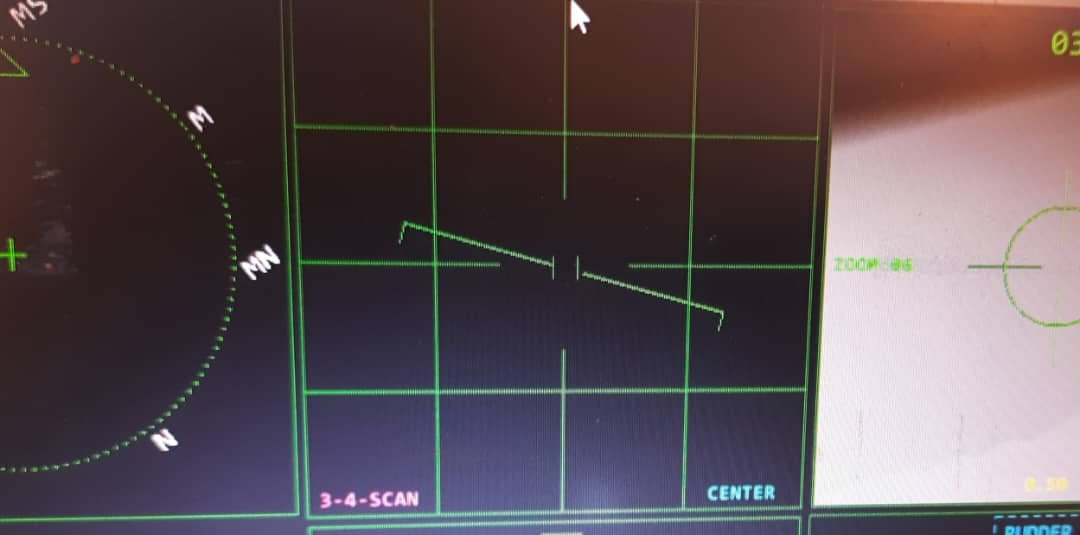
The radar is the system people ask about first.
When you tell someone you built a combat flight simulator, they picture the radar screen: the sweep, the contacts, the lock tone. It is the most iconic instrument in a fighter cockpit. So it usually surprises people when I tell them the radar was one of the last systems in the project to actually work. The targeting pod came before it. The weapons came before it. Even the radar warning receiver came before it.
What a Fighter Radar Actually Does
The design of my radar only makes sense against the real thing, so here is the short version.
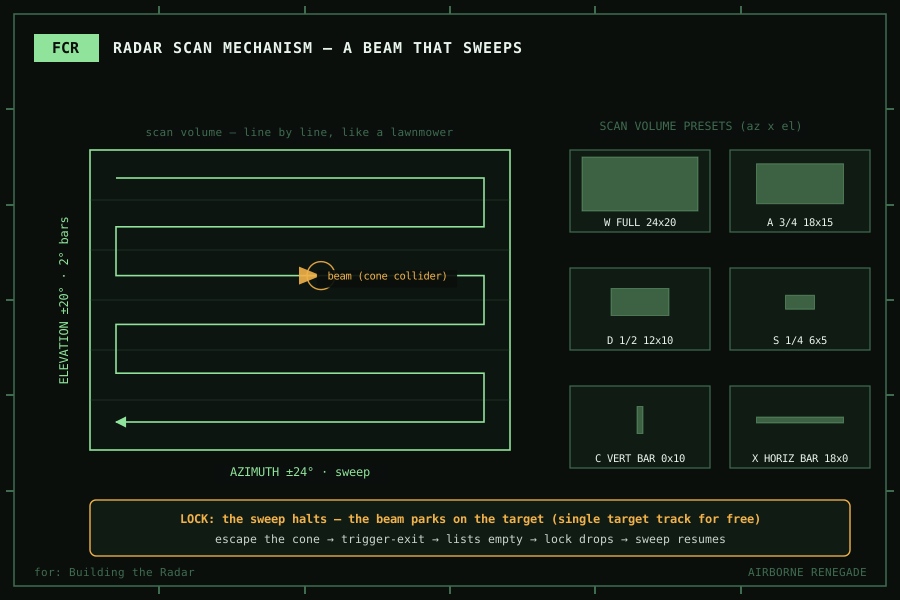
The F-16C flies with the APG-68, a mechanically scanned radar. There is a physical antenna in the nose, and it physically moves. It sweeps a raster pattern: the antenna scans across a slice of sky, steps in elevation, and scans across again, line after line, until the volume is covered. Then it starts over.
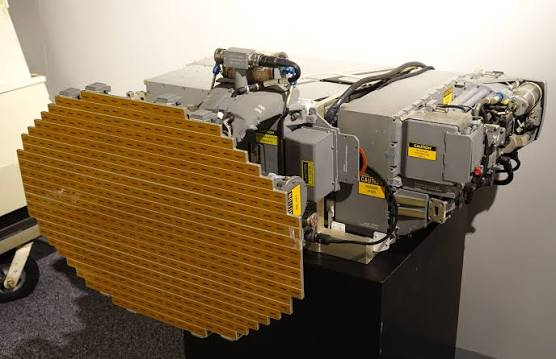
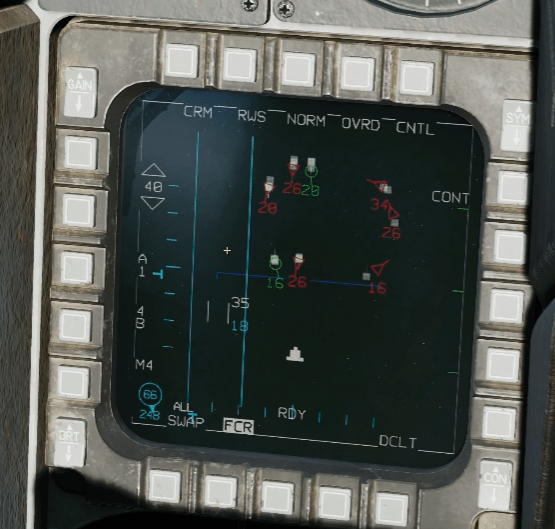
That mechanism creates the radar’s character. The pilot can trade coverage for speed: a wide scan sees more sky but revisits each contact slowly, a narrow scan updates fast but sees less. And when the radar locks a single target, the antenna stops scanning entirely and stares at it. That is single target track.
The F-35 does it differently. Its radar is an AESA, steered electronically, with no moving antenna at all. My cockpit ideas borrowed a lot from the F-35, but for the radar I ended up firmly on the F-16 side of the line.
What I Actually Needed
I was not going to model radio frequency physics. No signal strength, no doppler, no ground clutter. What the simulator needed from a radar was much smaller:
- Detect objects in front of the aircraft
- Know what kind of objects they are
- Support different modes for air, ground, and radar-hunting work
- Lock a target and hand it to the weapons system
- Feel like a radar in the cockpit
That last point mattered more than it sounds. A radar that instantly knows about everything around the aircraft is not a radar, it is a cheat code. What makes a radar feel real is its limits: it only sees where it is pointing, and it takes time to sweep.
Which led me to the decision that shaped the whole subsystem. Instead of simulating the results of a radar, I would simulate the mechanism of one.
It Started as Fifteen Lines
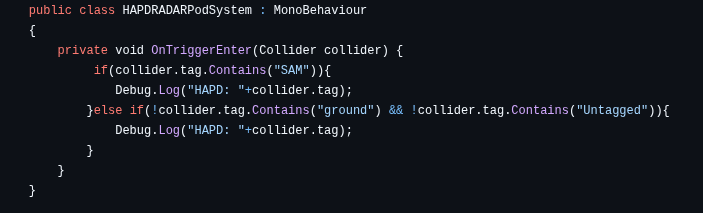
That is it. A trigger volume and a debug print.
It looks like nothing, but it was answering exactly one question: if I attach a detection volume to the aircraft, can it tell me what flies into it, using Unity tags to identify things? It could. Everything the radar became grew out of that answer.
I think it is worth being honest about this stage, because every subsystem in the project has a version of it. Before the radar could sweep, before it had modes, before there was lock logic, there was a fifteen line experiment whose only job was to prove the mechanism was possible.
A Radar Beam Is a Cone
The next problem was shape.
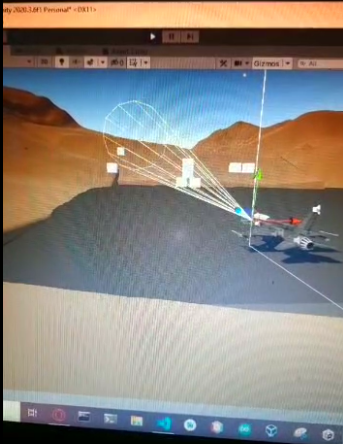
A radar beam is a cone. Unity’s built-in colliders are boxes, spheres, capsules, and meshes. There is no cone primitive. I was not about to derail the project writing computational geometry, so I did what a prototype developer should do: I went looking, and pulled in a cone collider script from the Unity community that generates the cone shape as a mesh collider, with the angle and length exposed as parameters (GitHub — the original author’s Japanese comments are still in the file).
What I did do was refuse to trust it blindly. In ACE-7, alongside the first real radar script, there is a little ColliderTest scene whose only purpose was to prove the cone detected things the way I expected before it ever went on the aircraft. Borrow the code, verify the behaviour yourself. That rule served me well across the whole project.
A Beam That Actually Sweeps
By ACE-8 the radar had become a real subsystem (GitHub), and its heart is small enough to show whole:
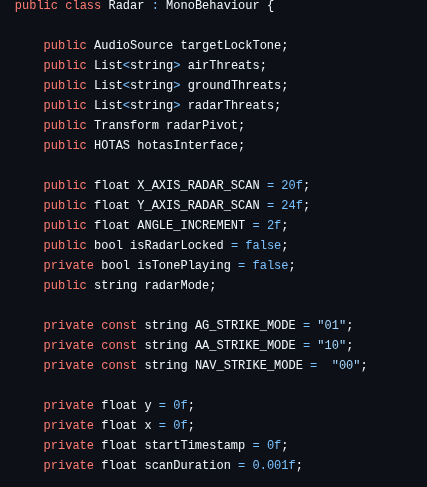
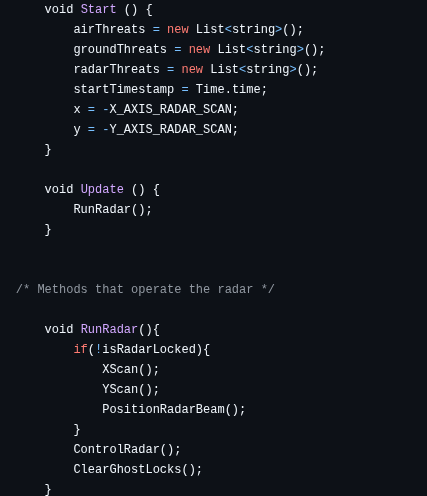
The beam object sweeps across in azimuth. When it reaches the edge of the scan volume, it snaps back to the other side and steps in elevation. Line by line, like a lawnmower cutting a field, until the whole volume is covered, and then it starts again. The cone collider rides on that transform, and whatever the cone touches, the radar knows about.
Detection is still OnTriggerEnter, the same mechanism as the fifteen line experiment, just grown up. Objects in the world carry tags following a simple convention, an identifier plus a type: AIR, GROUND, or RADAR. When the beam touches something, the radar splits the tag, checks the type, and sorts the contact into one of three threat lists. Those lists are what the rest of the aircraft consumes: the weapons system pulls targets from them, and the lock logic watches them.
There is no line of code that says “the radar cannot see behind you.” There does not need to be. The beam is simply never pointing there. The limits I wanted came free with the mechanism.
Locking On
Look at the first line of RunRadar again. The sweep only runs while the radar is not locked.
That one condition produces single target track for free. When the radar locks a contact, the sweep stops, and the beam stays parked exactly where the target is. The aircraft is now staring at one thing and blind to everything else, which is precisely the trade-off a real radar makes in that mode. I did not write a tracking mode. I wrote a sweep, gated it on lock, and the tracking behaviour fell out of the mechanism.
Breaking lock works the same way. If the target manoeuvres out of the beam, Unity fires the trigger exit, the contact drops off the threat list, and ClearGhostLocks notices the list is empty and releases the lock. The sweep resumes on the next frame. Escape the cone, escape the radar.
And because a radar is a cockpit instrument as much as a sensor, locking is loud: a lock tone plays when the beam captures a contact and stops when it leaves. The sound is doing real interface work.
Scan Volumes and Switch Bits
Two more places where the real world leaks into this code. One is deliberate. One is accidental, and it is my favourite detail in the file.
The deliberate one: scan volumes. The radar has six presets, from a full-volume scan down to quarter scans and single bars, one vertical and one horizontal. Same reasoning as the real thing: coverage versus update rate. In ACE-8 these presets still sit on keyboard keys, and right above them is a comment I left for myself: “Allocate one button and a counter system to select Scan Modes.” A to-do note from 2022, for a HOTAS mapping that never arrived. I have decided that leaving it visible is more honest than pretending the project was finished.
The accidental one: the radar’s modes are strings.

If those constants look like bits, it is because they are bits. The sidestick has physical mode switches on it. The firmware reads those pins and ships their state to the simulator as text, the way I described in Building the Hardware. By the time the data reaches the radar, “10” is literally two switch positions concatenated together. The radar’s mode constants are the wire format of the hardware.
I said in that post that the controls capture intent and the software decides what it means.
The Radar Only Grew Up When It Had Something to Find
The version history tells a story here that I did not notice while I was living it.
The radar script is 51 lines in ACE-7. In ACE-8 it is 237. The radar warning receiver nearly doubles in size in the same snapshot. And ACE-8 is the version where the enemy finally appears: the S300X surface-to-air missile site, with its own search radar, its own fire control, and missiles that come after you.
For most of the project’s life my sensors were flying over an empty world, and they stayed primitive because nothing pushed on them. The moment something on the ground could see me and shoot at me, the radar needed real modes, the threat lists needed to mean something, and the warning receiver needed to tell me I was in trouble. The threat matured the sensors.
The S300X deserves its own post, because building the enemy taught me more about my own aircraft than almost anything else.